 JuuIOld forum account
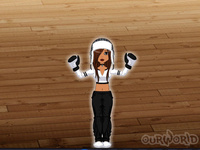
I've been having this issue for around 2 days now. My avatar won't show up AT ALL when I load the game, and it won't show up in the shop or on my profile. So I can't really view any of the new Halloween items to test them or anything. Is anyone else having this issue? Or maybe it's because of everything happening right now with the downloadable client coming? (I hope this is the right place to post!) Thanks!
 CzarcasmOld forum account
It's working fine for me. Try clearing your Flash cache and/or browser cache. And maybe the ourWorld cookies in your browser as well. You can Google info on how to do that. If that doesn't work, let me know your Playtest username and I'll see if I can repro the problem.
JuuIOld forum account Just tried clearing my cookies/history. I'm still not appearing at all! My playtest username is Laceyy. Thank you!
 Puppyluv23Old forum account
Mine also isn't working. Username is Love Shark
 DeluxeOld forum account
Same for me on multiple accounts.
CzarcasmOld forum account Okay, it looks like the avatar is broken in Firefox and Safari. Not sure if the devs will want to fix that with the app coming out in about a month, so for now just use Chrome or Edge if you can.
DeluxeOld forum account Sorry to say, have been using chrome. I don't have edge. ¯\_(ツ)_/¯
JuuIOld forum account I have been using edge! For some reason I can never usually play oW on chrome. It's okay though, I can wait until the client comes out. Just wanted to let everyone know though, since I am unable to test any new items. I completely understand it though; with everything being moved over right now!
DeluxeOld forum account Just tried firefox and safari. Those are working for me. Chrome still isnt though. I did find though if you just wait it out then refresh again seems better.
JuuIOld forum account I just tried firefox! It won't even open up the login page for me! I have no idea what's going on. It might just be my computer at this point.
DeluxeOld forum account Opera works. Maybe try that^^
CzarcasmOld forum account Weird, I couldn't repro at all in Chrome or Edge. Anyway, hopefully our dev can/will fix it by Monday's update.
CzarcasmOld forum account Aha! I think I figured it out. If you're using http, try switching to https in your URL to the game. That fixed it for me, anyway.
JuuIOld forum account Hey! You are a lifesaver. It worked! I didn't realize I was using a different URL. Thank you Czar!!
CzarcasmOld forum account Awesome! Thanks for letting me know.
DeluxeOld forum account Can you provide the link please? All i'm getting is this
The site can't be reached
https server IP address could not be found
DeluxeOld forum account Yayyy It Works! Thank you Czar! ((:
Puppyluv23Old forum account Works for me too! Thanks so much!!
{.g{fill:%231A1A18}.m{fill:%23CC331D}}%3C/style%3E%3Cpath class='g' d='M17.4 81.7Q11.2 81.7 7.6 80Q3.9 78.4 2.2 74.7Q0.5 71 0.2 65.1Q0.1 59.6 0.1 53.4Q0 47.3 0 41Q0 34.8 0.1 28.7Q0.1 22.6 0.2 17.2Q0.5 11 2.3 7.2Q4 3.4 7.7 1.7Q11.4 0 17.3 0Q25.9 0 29.8 3.9Q33.7 7.7 34.2 16.6Q34.4 19.7 34.4 23.1Q34.4 26.6 34.2 29.7H23.4Q23.6 26.3 23.6 22.2Q23.6 18.1 23.4 14.7Q23.2 11.8 21.7 10.3Q20.2 8.9 17.3 8.9Q14.2 8.9 12.7 10.3Q11.2 11.8 11.1 14.7Q10.9 20.9 10.7 27.5Q10.6 34.1 10.6 40.8Q10.6 47.5 10.7 54.1Q10.9 60.7 11.1 67Q11.2 69.9 12.7 71.3Q14.2 72.8 17.4 72.8Q20.4 72.8 22.1 71.3Q23.9 69.9 24 67Q24.1 65.1 24.1 62.7Q24.1 60.4 24.1 58.1Q24.1 55.9 24 53.9H17.9V44.5H34.6Q34.7 48.7 34.7 54Q34.7 59.3 34.5 65.1Q34.1 74 30.1 77.8Q26.2 81.7 17.4 81.7ZM38.4 80.9 48.2 0.9H66.2L76 80.9H64.9L63 60.9H51.3L49.5 80.9ZM52.4 51.3H62L60.3 33.7L58.6 10.5H55.8L54.1 33.7ZM81.2 80.9V0.9H99.3L105 32.4L107.3 71.1H109.5L111.7 32.4L117.5 0.9H135.6V80.9H124.7V56.9L126.8 10.5H124.3L119.5 57.6L114.6 80.7H102.1L97.3 57.6L92.5 10.5H90.1L92 56.9V80.9ZM143.8 80.9V0.9H172.4V10.5H154.6V35.6H171.4V45.2H154.6V71.2H172.4V80.9Z'/%3E%3Cpath class='m' d='M178.2 80.9V0.9H196.3L202.1 32.4L204.3 71.1H206.6L208.7 32.4L214.5 0.9H232.6V80.9H221.8V56.9L223.8 10.5H221.3L216.6 57.6L211.7 80.7H199.2L194.3 57.6L189.5 10.5H187.2L189 56.9V80.9ZM240.2 10Q240.2 7.2 241.6 5Q242.9 2.7 245.2 1.4Q247.5 0 250.2 0H265Q267.8 0 270 1.4Q272.3 2.7 273.6 5Q275 7.2 275 10ZM240.2 71.4V15H275V71.4Q275 74.2 273.6 76.6Q272.2 78.9 269.9 80.3Q267.5 81.7 264.6 81.7H250.6Q247.8 81.7 245.4 80.3Q243 78.9 241.6 76.6Q240.2 74.2 240.2 71.4ZM250.2 68.1Q250.2 69.6 251.3 70.7Q252.3 71.7 253.8 71.7H261.4Q262.9 71.7 263.9 70.7Q265 69.6 265 68.1V26.1Q265 24.6 263.9 23.6Q262.9 22.5 261.4 22.5H253.8Q252.3 22.5 251.3 23.6Q250.2 24.6 250.2 26.1ZM283.1 10Q283.1 7.2 284.4 5Q285.8 2.7 288 1.4Q290.3 0 293.1 0H307.8Q310.6 0 312.8 1.4Q315.1 2.7 316.5 5Q317.8 7.2 317.8 10ZM283.1 71.4V15H317.8V71.4Q317.8 74.2 316.4 76.6Q315 78.9 312.6 80.3Q310.3 81.7 307.4 81.7H293.4Q290.6 81.7 288.2 80.3Q285.9 78.9 284.5 76.6Q283.1 74.2 283.1 71.4ZM293.1 68.1Q293.1 69.6 294.1 70.7Q295.1 71.7 296.6 71.7H304.2Q305.7 71.7 306.8 70.7Q307.8 69.6 307.8 68.1V26.1Q307.8 24.6 306.8 23.6Q305.7 22.5 304.2 22.5H296.6Q295.1 22.5 294.1 23.6Q293.1 24.6 293.1 26.1ZM325.4 80.9V0.9H341.2Q350.2 0.9 354.2 4.6Q358.2 8.4 358.5 17.1Q358.7 20.7 358.7 23.7Q358.7 26.8 358.7 29.7Q358.7 32.6 358.5 35.9Q358.4 41.5 356.6 45Q354.8 48.6 351.1 50.3L359.9 80.9H348.4L340.9 52.1H336.2V80.9ZM336.2 42.5H341.2Q344.4 42.5 346 41Q347.6 39.5 347.7 36.4Q347.9 33.2 347.9 29.8Q347.9 26.5 347.9 23.1Q347.9 19.7 347.7 16.5Q347.6 13.5 346 12Q344.4 10.5 341.2 10.5H336.2Z'/%3E%3C/svg%3E)